
Mastering OpenClaw Skills: Building Custom Automations
Master OpenClaw's skill system with this comprehensive guide. Learn to create custom skills, build hooks for event-driven automation, and configure multi-agent teams. Includes code examples and best practices for OpenClaw development.
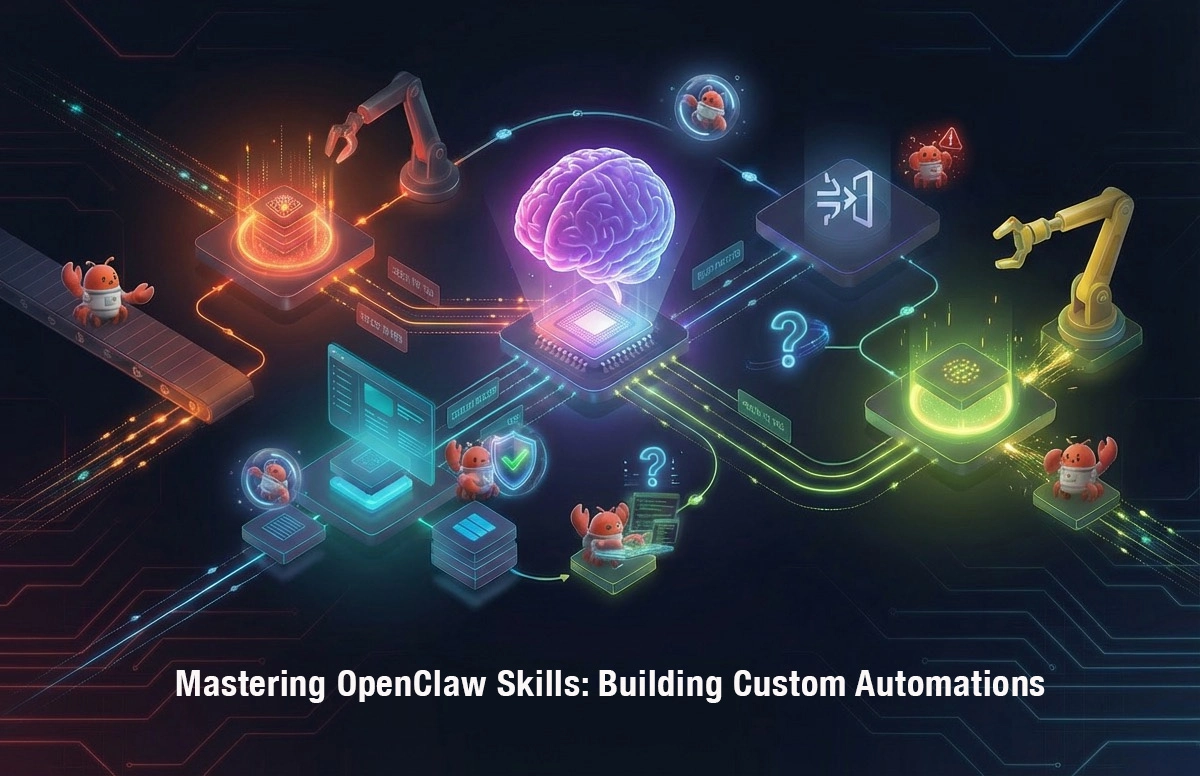
Out of the box, OpenClaw is powerful. But its true potential unlocks with Skills — reusable, composable automation units that extend what your agent can do.
Think of Skills as:
- Functions your agent can call
- Tools that expand capabilities
- Workflows that automate repetitive tasks
In this guide, we'll cover:
- How Skills work (the architecture)
- Using built-in Skills
- Building custom Skills
- Advanced patterns: Hooks, Agents, and Teams
1. Understanding the Skill Architecture
What Is a Skill?
A Skill is a self-contained capability package that OpenClaw can invoke during conversations. Each Skill defines:
- What it does (description for the AI)
- How it's triggered (keywords, patterns, or explicit calls)
- What tools it uses (APIs, file operations, commands)
Built-in Skills (100+ Available)
OpenClaw ships with Skills covering:
| Category | Skills |
|---|---|
| Web | web-search, fetch, scrape |
| Code | bash, code-executor, git |
| Files | read, write, glob, grep |
| Communication | email, slack, telegram |
| Productivity | calendar, notion, github |
| Media | image-generate, tts, transcribe |
Skill Directory Structure
~/.openclaw/
├── skills/
│   ├── web-search/
│   │   ├── skill.md          # Skill definition
│   │   ├── handler.js        # Execution logic
│   │   └── config.json       # Configuration
│   └── my-custom-skill/
│       ├── skill.md
│       └── handler.js
2. Using Built-in Skills
Enabling Skills
Skills are enabled in your config:
{
  "skills": {
    "enabled": ["web-search", "github", "calendar"],
    "config": {
      "github": {
        "token": "${GITHUB_TOKEN}"
      }
    }
  }
}
Invoking Skills
Explicit invocation:
You: Use the github skill to list my recent PRs
Implicit invocation:
You: What's the status of PR #42?
(The agent decides to use the github skill)
Skill Configuration Example
{
  "skills": {
    "config": {
      "web-search": {
        "maxResults": 10,
        "engine": "brave"
      },
      "calendar": {
        "defaultDuration": 30,
        "timezone": "Asia/Shanghai"
      },
      "github": {
        "owner": "your-org",
        "repo": "your-repo"
      }
    }
  }
}
3. Building Custom Skills
The Minimum Viable Skill
Every skill needs two files:
skill.md— The definitionhandler.js(or.py) — The execution logic
skill.md
---
name: hello-world
description: A simple skill that demonstrates basic skill structure
version: 1.0.0
author: Your Name
triggers:
  - "say hello"
  - "hello world"
parameters:
  name:
    type: string
    description: Name to greet
    default: "World"
returns:
  type: string
  description: A greeting message
examples:
  - "say hello to John"
  - "hello world"
---

# Hello World Skill

This skill returns a personalized greeting.
handler.js
module.exports = {
  async execute(params, context) {
    const { name = "World" } = params;

    return {
      success: true,
      message: `Hello, ${name}! 👋`,
      data: { greeting: message }
    };
  }
};
A Real-World Skill: GitHub Issue Reporter
Let's build something useful — a skill that creates formatted GitHub issue reports.
skill.md
---
name: issue-reporter
description: Generate formatted GitHub issue reports with labels and assignments
version: 1.0.0
author: Your Team
triggers:
  - "create issue report"
  - "report issues"
parameters:
  repo:
    type: string
    description: Repository in format "owner/repo"
  timeframe:
    type: string
    description: Time period (week, month, quarter)
    default: "week"
  labels:
    type: array
    description: Issue labels to filter
    default: ["bug"]
returns:
  type: object
  description: Formatted issue report
---
handler.js
const axios = require('axios');

module.exports = {
  async execute(params, context) {
    const { repo, timeframe = 'week', labels = ['bug'] } = params;
    const [owner, repoName] = repo.split('/');

    // Calculate date range
    const days = timeframe === 'week' ? 7 : timeframe === 'month' ? 30 : 90;
    const since = new Date(Date.now() - days * 24 * 60 * 60 * 1000);

    // Fetch issues via GitHub API
    const response = await axios.get(
      `https://api.github.com/repos/${owner}/${repoName}/issues`,
      {
        params: {
          since: since.toISOString(),
          labels: labels.join(','),
          state: 'all'
        },
        headers: {
          Authorization: `token ${context.env.GITHUB_TOKEN}`,
          Accept: 'application/vnd.github.v3+json'
        }
      }
    );

    const issues = response.data;

    // Format report
    const report = {
      summary: `${issues.length} issues ${timeframe}`,
      issues: issues.map(issue => ({
        number: issue.number,
        title: issue.title,
        state: issue.state,
        author: issue.user.login,
        url: issue.html_url,
        created: issue.created_at
      }))
    };

    return {
      success: true,
      report
    };
  }
};
Registering Your Skill
mkdir -p ~/.openclaw/skills/issue-reporter
# Add skill.md and handler.js
openclaw skills reload
4. Advanced Patterns: Hooks
What Are Hooks?
Hooks are event-driven triggers that run skills automatically — no manual invocation needed. Think of them as "if this, then that" for your agent.
Hook Types
| Hook | When It Fires |
|---|---|
on-message |
New message received |
on-file-change |
File modified in watched directory |
on-schedule |
Cron-based triggers |
on-webhook |
External HTTP POST received |
on-agent-event |
Agent state changes |
Example: Auto-Respond to GitHub Issues
# hooks/github-notifications.yaml
name: github-issue-notifier
trigger:
  type: webhook
  path: /webhooks/github
events:
  - push
  - issues
actions:
  - skill: github
    method: get-issue
    params:
      repo: "{{payload.repository.full_name}}"
      number: "{{payload.issue.number}}"
  - skill: telegram
    method: send
    params:
      chat: "{{config.admin_chat}}"
      text: "New issue: {{issue.title}}\n{{issue.html_url}}"
Example: Daily Standup Reminder
# hooks/daily-standup.yaml
name: daily-standup
trigger:
  type: schedule
  cron: "0 9 * * 1-5"  # 9 AM, weekdays
actions:
  - skill: slack
    method: send-message
    params:
      channel: "#standups"
      text: "⏰ Daily standup time! Share your updates:"
      blocks:
        - type: section
          text: "What did you do yesterday? What will you do today? Any blockers?"
5. Advanced Patterns: Agent Teams
When to Use Teams
For complex tasks that require multiple specialized agents:
- Research → Analyze → Report workflow
- Code → Test → Deploy pipeline
- Monitor → Alert → Resolve operations
Team Configuration
{
  "agents": {
    "researcher": {
      "model": "claude-sonnet-4-20250514",
      "role": "Researcher",
      "description": "Gathers information from web and documents",
      "skills": ["web-search", "read", "summarize"]
    },
    "analyst": {
      "model": "claude-sonnet-4-20250514",
      "role": "Analyst",
      "description": "Processes and analyzes data",
      "skills": ["code-executor", "python"]
    },
    "reporter": {
      "role": "Reporter",
      "description": "Formats and delivers results",
      "skills": ["markdown", "telegram", "slack"]
    }
  },
  "teams": {
    "market-research": {
      "members": ["researcher", "analyst", "reporter"],
      "workflow": "sequential",
      "maxIterations": 10
    }
  }
}
Team Communication
Agents in a team communicate via a shared context:
Researcher: Found 50 articles about AI trends
  ↓ (passes to)
Analyst: Identified top 10 patterns
  ↓ (passes to)
Reporter: Formatted into a newsletter
6. Skill Development Best Practices
1. Keep Skills Focused
Do: One skill = one responsibility Don't: Build a "do everything" skill
2. Handle Errors Gracefully
async execute(params, context) {
  try {
    // Main logic
  } catch (error) {
    return {
      success: false,
      error: error.message,
      // Helpful debug info
      debug: { params, timestamp: new Date() }
    };
  }
}
3. Document Thoroughly
Your skill.md should answer:
- What does this skill do?
- When should I use it?
- What parameters does it need?
- What does it return?
4. Test Incrementally
// Add a test mode
async execute(params, context) {
  if (params._test) {
    return { test: true, params, expected: "..." };
  }
  // Normal execution
}
5. Use Environment Variables for Secrets
// BAD: Hardcoded
const token = "secret-123";

// GOOD: From environment
const token = process.env.GITHUB_TOKEN;

// BEST: From context (injected by OpenClaw)
const token = context.env.GITHUB_TOKEN;
7. Publishing Your Skill
For Internal Use
Skills in ~/.openclaw/skills/ are automatically loaded.
For the Community
- Create a GitHub repo:
openclaw-skill-[name] - Include:
skill.md(required)handler.jsorhandler.pyREADME.mdLICENSE
- Submit to OpenClaw Skills Hub
Conclusion
Skills are what transform OpenClaw from a chatbot into a true automation platform. Start with built-in skills, build a few custom ones for your specific needs, and soon you'll have an agent that works exactly how you want it to.
Related Articles
AI Coding Agent Ecosystem: A Practical Comparison of OpenClaw, Claude Code, Cursor, and Alternatives
A practical comparison of the leading AI coding agents in 2026, covering architecture, SWE-bench scores, pricing, and ideal use cases for each platform.
OpenClaw, Manus AI, and Claude Code – A Technical Decision Maker‘s Guide
In early 2026, AI agents have become core to enterprise digital transformation. But with options like OpenClaw (GUI automation), Manus AI (cloud orchestration), and Claude Code (developer copilot), how do you choose? This guide provides a systematic comparison and recommendations for eight key business scenarios, helping technical leaders avoid costly mistakes.
Claude vs GPT in 2026 - The AI Coding Assistant Battle Intensifies
As Anthropic's Claude Opus 4.6 challenges OpenAI's GPT-5.4 in coding benchmarks, the AI coding assistant market has become the most competitive segment in the AI industry. We analyze the technical and strategic differences.