
AI Coding Agent Ecosystem: A Practical Comparison of OpenClaw, Claude Code, Cursor, and Alternatives
A practical comparison of the leading AI coding agents in 2026, covering architecture, SWE-bench scores, pricing, and ideal use cases for each platform.
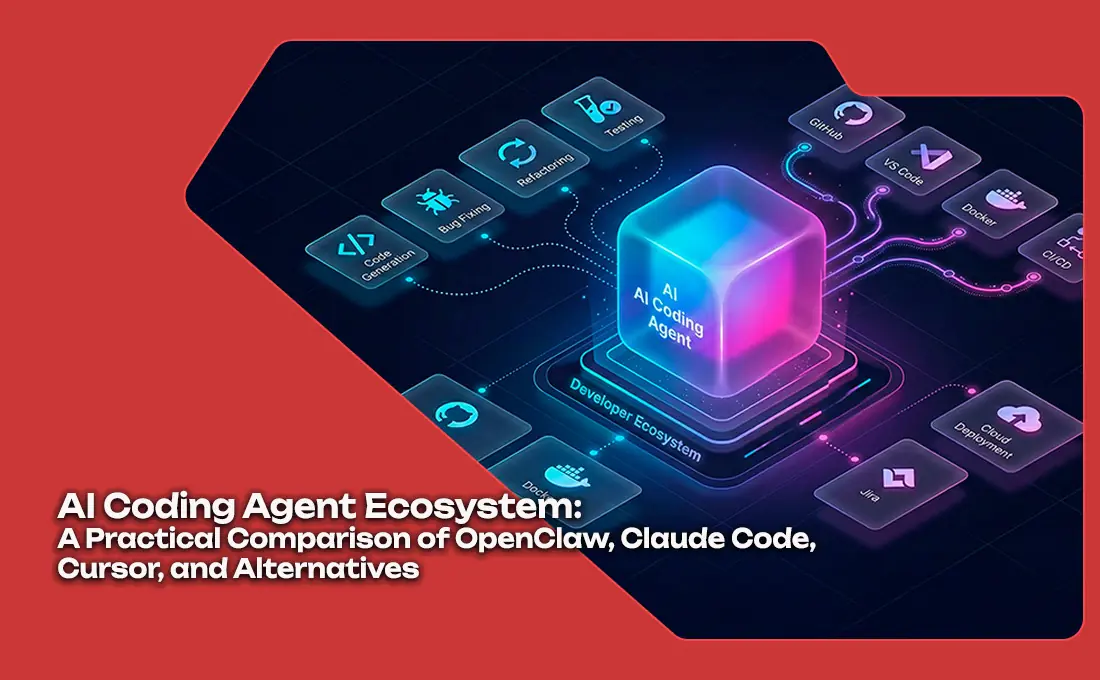
The AI coding agent space has fragmented into distinct categories—terminal-native agents, IDE-integrated tools, and general-purpose AI agent platforms. This article provides a practical comparison of the leading options in 2026: Claude Code, OpenClaw, Cursor, Aider, OpenCode, and GitHub Copilot. Each serves a different workflow, and the "best" choice depends heavily on how your team works, what it values most, and where AI assistance fits in your development process.
Introduction
The AI coding agent market has moved well beyond autocomplete. In 2026, developers can choose between tools that live in the terminal, tools embedded in their IDE, and autonomous agents that can run independently. The landscape has clarified into four distinct categories, each with clear leaders.
The Four Categories
Category 1: Terminal-Native Coding Agents
These run as CLI tools, integrate with shell pipelines, and are designed for developers who prefer keyboard-driven workflows.
Key players: Claude Code, OpenCode, Gemini CLI, Aider, Kilo Code Strength: Maximum flexibility, scriptable, composable Weakness: Steeper learning curve, no IDE integration out of the box
Category 2: IDE-Integrated AI Assistants
These live inside your editor, providing real-time suggestions, refactoring, and chat without leaving your workflow.
Key players: Cursor (proprietary IDE), GitHub Copilot (extension), Continue.dev (open extension) Strength: Seamless workflow integration, context-aware suggestions Weakness: Platform lock-in for proprietary tools, limited autonomous capability
Category 3: General-Purpose AI Agent Platforms
These are not coding-focused—they are full autonomous agents that can handle multi-domain tasks including coding, research, and operations.
Key players: OpenClaw (open-source), OpenAI Codex, Antigravity Strength: Multi-domain capability, extensibility, community skills Weakness: Less specialized for pure coding workflows
Category 4: Autonomous Loop Systems
These run independently with minimal human input, executing long-running tasks without continuous oversight.
Key players: Jules (proactive), Ralph, Devin Strength: Minimal supervision, end-to-end task completion Weakness: Debugging difficulty, cost at scale
Capability Comparison
SWE-bench Scores (Practical Benchmark)
SWE-bench Verified measures how well AI coding agents resolve real GitHub issues. The same model scores differently depending on scaffolding:
| Agent | Model Used | SWE-bench Score | Platform |
|---|---|---|---|
| Claude Code | Opus 4.5 | 80.9% | Terminal/IDE |
| OpenClaw | Any model (configurable) | 65–78% (model-dependent) | Any platform |
| Cursor | Opus 4.5 | 72.1% | Proprietary IDE |
| Aider | Claude 3.7 Sonnet | 68.4% | Terminal |
| OpenCode | Qwen 2.5-Coder | 64.7% | Terminal |
| Jules | Gemini 2.0 Flash | 61.3% | Terminal |
| GitHub Copilot | Fine-tuned GPT-4 | 58.9% | IDE Extension |
Key insight: Scaffolding matters enormously. Claude Code on Opus 4.5 scored 17 problems apart from Cursor on the same model. The agent framework, not just the model, determines performance.
Practical Feature Comparison
| Feature | Claude Code | OpenClaw | Cursor | Aider | OpenCode |
|---|---|---|---|---|---|
| Context window | 1M tokens | Configurable | 1M tokens | 200K tokens | 128K tokens |
| Skill system | AgentSkills (SKILL.md) | AgentSkills + clawhub | Rules (.mdc) | .aider.conf | Config files |
| Git integration | Native | Full | Full | Git-native (built-in) | Native |
| IDE embedding | Extension available | Extension available | Built-in | Terminal only | Terminal only |
| Terminal-native | Yes | Yes | No | Yes | Yes |
| Multi-model routing | No | Yes | No | Partial | Partial |
| MCP support | Native | Native | Plugin | No | No |
| Cost model | API only | API only | Free (included) | API only | API only |
| Open source | Closed | Yes (MIT) | Proprietary | Yes (GPL) | Yes (Apache) |
When to Choose Each Tool
Choose Claude Code When
- You work primarily with Anthropic models (Claude Opus, Sonnet).
- You need the highest SWE-bench scores for coding tasks.
- You want a dedicated coding agent with deep terminal and IDE integration.
- Your workflow benefits from the hook system and prompt caching.
Choose OpenClaw When
- You want a multi-purpose AI agent platform, not just a coding tool.
- You need to orchestrate multiple agents, tools, and skills.
- You prefer open-source with a thriving community.
- You want to integrate AI assistance across your entire workflow (not just code).
Choose Cursor When
- You want the smoothest IDE experience.
- You prefer an all-in-one editor with AI built in.
- You are a solo developer or small team without terminal preferences.
- You value the Composer and Agents features for complex multi-file changes.
Choose Aider When
- You want a lightweight, git-native terminal tool.
- You prefer explicit command-and-control over autonomous loops.
- You want to use any model (supports Claude, GPT, Gemini, and open models).
- You work in a terminal-first environment.
Choose OpenCode When
- You prefer open-source with maximum configurability.
- You want a wide model selection (95K GitHub stars ecosystem).
- You need a free alternative to Claude Code with comparable features.
Multi-Agent Workflows
The most powerful pattern emerging in 2026 is multi-agent routing—using different agents for different subtasks:
- Long-context reasoning: Claude Code on Opus for complex architectural decisions.
- Fast iteration: Cursor on Sonnet for quick refactors and suggestions.
- Background tasks: OpenCode on a local model for CI/CD validation.
- Multi-domain work: OpenClaw for research, documentation, and non-coding tasks.
No single tool dominates. The best engineering teams in 2026 use 2–3 tools strategically, not one universal agent.
Conclusion
The AI coding agent space has matured past the "which tool is best" question. Each category serves a different need. Terminal-native tools offer maximum flexibility; IDE-integrated tools offer seamless experience; agent platforms offer extensibility; autonomous systems offer hands-off operation.
The competitive moat in 2026 is not the tool—it is how well your team integrates AI assistance into its workflow. The developers who ship fastest are not those using the "best" agent—they are those who built the best system around their chosen model.
Related Articles
OpenClaw, Manus AI, and Claude Code – A Technical Decision Maker‘s Guide
In early 2026, AI agents have become core to enterprise digital transformation. But with options like OpenClaw (GUI automation), Manus AI (cloud orchestration), and Claude Code (developer copilot), how do you choose? This guide provides a systematic comparison and recommendations for eight key business scenarios, helping technical leaders avoid costly mistakes.
Claude vs GPT in 2026 - The AI Coding Assistant Battle Intensifies
As Anthropic's Claude Opus 4.6 challenges OpenAI's GPT-5.4 in coding benchmarks, the AI coding assistant market has become the most competitive segment in the AI industry. We analyze the technical and strategic differences.
NanoClaw vs OpenClaw: A Comprehensive Comparison Guide for AI Agent Selection
An in-depth comparison between NanoClaw and OpenClaw across architectural design, security isolation, ease of use, and ecosystem integration to help developers make informed decisions.