
Enterprise Integrations & Scaling: OpenClaw at Scale
Enterprise-grade OpenClaw integration guide covering Notion, GitHub, Google Workspace, Microsoft Teams, and more. Learn OAuth setup, authentication patterns, multi-team architectures, and scaling strategies for production deployments.
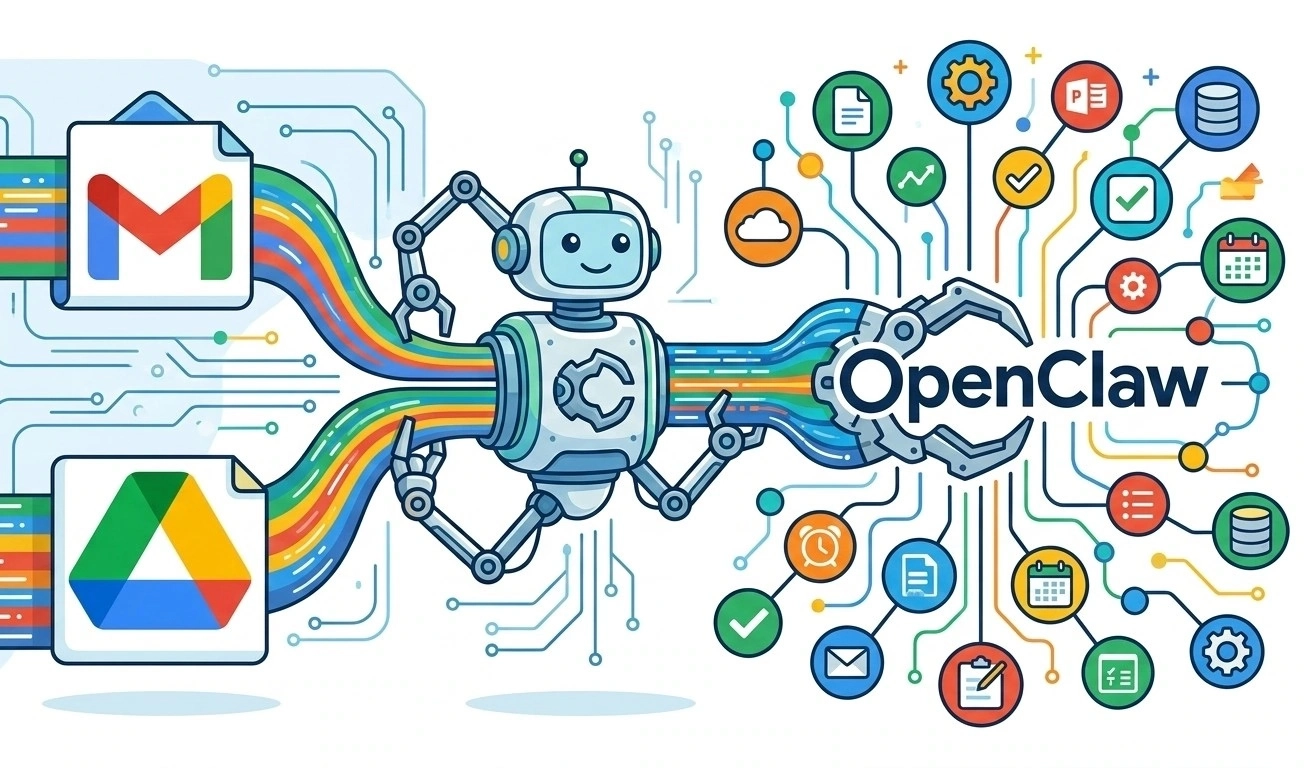
By now, you've got OpenClaw running, you've built custom skills, and you've seen the power of agent automation. But how do you connect it to the tools your organization actually uses?
This guide covers:
- Enterprise integrations (Notion, GitHub, Google, Microsoft)
- Authentication patterns (OAuth, API keys, service accounts)
- Scaling from single user to enterprise deployment
- Multi-team architectures
- Security at scale
1. The Integration Landscape
OpenClaw integrates with 20+ enterprise platforms out of the box:
| Platform | Capabilities | Auth Method |
|---|---|---|
| GitHub | Issues, PRs, repos, actions | Personal Access Token / OAuth |
| Notion | Databases, pages, search | OAuth |
| Slack | Channels, DMs, apps | Bot Token |
| Google Workspace | Calendar, Drive, Gmail | OAuth / Service Account |
| Microsoft 365 | Teams, Outlook, SharePoint | OAuth |
| Jira | Issues, projects, sprints | API Token |
| Linear | Issues, projects | API Key |
| Confluence | Pages, spaces | Basic Auth / OAuth |
2. Deep Dive: Notion Integration
Setup
- Create an integration at notion.so/my-integrations
- Share your workspace/database with the integration
- Configure:
{
  "skills": {
    "config": {
      "notion": {
        "enabled": true,
        "auth": {
          "type": "oauth",
          "clientId": "${NOTION_CLIENT_ID}",
          "clientSecret": "${NOTION_CLIENT_SECRET}",
          "redirectUri": "https://your-gateway/oauth/callback"
        }
      }
    }
  }
}
Common Use Cases
1. Create Notion Pages from Conversations
You: Create a meeting notes page for today's standup in our team workspace
The skill:
- Accesses the specified Notion database
- Creates a new page with templates
- Populates with meeting details
- Returns the link
2. Search Notion from Chat
You: Find all documents about the Q2 roadmap
3. Sync OpenClaw Memory to Notion
# hooks/memory-sync.yaml
name: memory-backup
trigger:
  type: schedule
  cron: "0 */6 * * *"  # Every 6 hours
actions:
  - skill: notion
    method: create-page
    params:
      parent: "${NOTION_MEMORY_DB}"
      properties:
        Date: "{{timestamp}}"
        Type: "Memory Backup"
      content: "{{memory_content}}"
3. Deep Dive: GitHub Integration
Setup
{
  "skills": {
    "config": {
      "github": {
        "enabled": true,
        "token": "${GITHUB_TOKEN}",
        "defaultOwner": "your-org",
        "defaultRepo": "your-repo"
      }
    }
  }
}
Enterprise Features
1. Repository Management
You: List all open PRs assigned to me in the frontend repo
2. Issue Automation
You: Create an issue for the login bug we discussed, label it as bug and priority-high
3. Code Review Assistance
You: Review PR #142 and summarize the changes
4. GitHub Actions Integration
# Trigger workflows from chat
You: Run the deploy workflow on staging
4. Deep Dive: Google Workspace
OAuth Setup (Recommended)
{
  "skills": {
    "config": {
      "google": {
        "enabled": true,
        "oauth": {
          "clientId": "${GOOGLE_CLIENT_ID}",
          "clientSecret": "${GOOGLE_CLIENT_SECRET}",
          "redirectUri": "https://your-gateway/oauth/callback",
          "scopes": [
            "https://www.googleapis.com/auth/calendar",
            "https://www.googleapis.com/auth/gmail.readonly",
            "https://www.googleapis.com/auth/drive.readonly"
          ]
        }
      }
    }
  }
}
Use Cases
Calendar
You: What's on my calendar tomorrow at 2pm?
You: Schedule a 30-minute meeting with the team next Tuesday at 10am
Gmail
You: Search my inbox for emails about the Q3 budget
You: Send an email to [email protected] with the project update
Drive
You: Find the latest version of the marketing strategy document
You: Share the project folder with [email protected]
5. Deep Dive: Microsoft Teams
Setup
- Register an app in Azure AD
- Enable these permissions:
ChannelMessage.Send(send to channels)ChannelMessage.Read.All(read messages)User.Read(user info)
- Configure:
{
  "channels": {
    "teams": {
      "enabled": true,
      "tenantId": "${TEAMS_TENANT_ID}",
      "clientId": "${TEAMS_CLIENT_ID}",
      "clientSecret": "${TEAMS_CLIENT_SECRET}",
      "botId": "${TEAMS_BOT_ID}"
    }
  }
}
Use Cases
You: Post the daily metrics to the #operations channel
You: Send a reminder to the project channel about the deadline
6. Authentication Patterns
Pattern 1: Personal Access Tokens (Simple)
Best for: Individual users, small teams
{
  "skills": {
    "config": {
      "github": {
        "token": "ghp_xxxxxxxxxxxx"
      }
    }
  }
}
Pros: Easy to set up Cons: Tied to individual accounts, limited audit
Pattern 2: OAuth (Recommended)
Best for: Enterprise deployments
{
  "skills": {
    "config": {
      "github": {
        "oauth": {
          "clientId": "...",
          "clientSecret": "...",
          "callbackUrl": "https://gateway/oauth/callback"
        }
      }
    }
  }
}
Pros: User-level permissions, audit trails, revocation Cons: More complex setup
Pattern 3: Service Accounts (Most Secure)
Best for: Organization-wide automation
{
  "skills": {
    "config": {
      "google": {
        "serviceAccount": {
          "type": "service_account",
          "projectId": "...",
          "privateKey": "${GCS_PRIVATE_KEY}",
          "clientEmail": "[email protected]"
        }
      }
    }
  }
}
Pros: Dedicated identity, organization control, audit Cons: Requires admin setup
7. Scaling Architectures
Stage 1: Single User
┌─────────────┐
│  OpenClaw  │
│  (Laptop)  │
└─────────────┘
Use case: Personal automation Scale: 1 user, 1 channel
Stage 2: Small Team
┌─────────────┐
│  Gateway    │
└──────┬──────┘
       │
┌──────┴──────┐
│  Team       │
│  Channels   │
└─────────────┘
Use case: Department automation Scale: 5-20 users, multiple channels
Stage 3: Department
              ┌─────────────┐
              │   Load      │
              │   Balancer  │
              └──────┬──────┘
                     │
    ┌────────────────┼────────────────┐
    │                │                │
┌───┴───┐      ┌────┴────┐      ┌────┴────┐
│Node 1 │      │ Node 2  │      │ Node N  │
└───┬───┘      └────┬────┘      └────┬────┘
    │                │                │
┌───┴───┐      ┌────┴────┐      ┌────┴────┐
│Team A │      │ Team B  │      │ Team C  │
└───────┘      └─────────┘      └─────────┘
Use case: Multiple teams, shared infrastructure Scale: 50-200 users, isolated workspaces
Stage 4: Enterprise
┌─────────────────────────────────────────────┐
│                 Edge / CDN                  │
└──────────────────┬────────────────────────┘
                   │
┌──────────────────┴────────────────────────┐
│           API Gateway (Auth, Rate Limit)    │
└──────────────────┬────────────────────────┘
                   │
    ┌──────────────┼──────────────┐
    │              │              │
┌───┴───┐   ┌────┴────┐   ┌────┴────┐
│ Zone A │   │ Zone B  │   │ Zone N  │
│ K8s    │   │ K8s     │   │ K8s     │
└────────┘   └─────────┘   └─────────┘
Use case: Global enterprise, compliance requirements Scale: 1000+ users, multi-region
8. Multi-Team Management
Workspace Isolation
{
  "workspaces": {
    "engineering": {
      "agents": ["coder", "reviewer", "deployer"],
      "channels": ["slack:#eng", "telegram:eng-team"],
      "skills": ["github", "gitlab", "jira"],
      "members": ["@alice", "@bob"]
    },
    "marketing": {
      "agents": ["writer", "scheduler", "reporter"],
      "channels": ["slack:#marketing", "telegram:marketing"],
      "skills": ["notion", "hubspot", "twitter"],
      "members": ["@charlie", "@diana"]
    }
  }
}
Role-Based Access
{
  "roles": {
    "admin": {
      "permissions": ["*"],
      "channels": ["*"]
    },
    "user": {
      "permissions": ["chat", "skills:read"],
      "channels": ["assigned"]
    },
    "readonly": {
      "permissions": ["skills:read"],
      "channels": ["assigned"]
    }
  }
}
9. Enterprise Security Checklist
Authentication
- Gateway authentication enforced
- Channel-level auth configured
- API keys rotated regularly
- OAuth tokens refreshable
Authorization
- Workspace isolation verified
- Role-based access control (RBAC) enabled
- Audit logging configured
Network
- Gateway behind reverse proxy with TLS
- Firewall rules configured
- Rate limiting enabled
- IP allowlisting (if needed)
Compliance
- Data residency requirements met
- GDPR/HIPAA controls documented
- Incident response plan in place
- Regular security audits scheduled
10. Monitoring & Observability
Key Metrics to Track
| Metric | Source | Alert Threshold |
|---|---|---|
| Gateway uptime | Health check | < 99.9% |
| Response latency | Logs | > 5s |
| API errors | Logs | > 1% |
| Concurrent sessions | Gateway | > 80% capacity |
| Token usage | API provider | > 80% quota |
Example Dashboard (Grafana)
┌─────────────────────────────────────────────────────────────┐
│  OpenClaw Enterprise Dashboard                               │
├─────────────────────────────────────────────────────────────┤
│                                                             │
│  Uptime: 99.95%  │  Active Users: 47  │  Messages: 1,234 │
│                                                             │
│  ┌──────────┐ ┌──────────┐ ┌──────────┐ ┌──────────┐     │
│  │Requests/s│ │Latency   │ │Errors    │ │Queue     │     │
│  │   12.3   │ │  1.2s    │ │  0.1%    │ │    3     │     │
│  └──────────┘ └──────────┘ └──────────┘ └──────────┘     │
│                                                             │
│  Response Time (last 24h)                                   │
│  █                                                        │
│  █ █▄▄▄▄▄▄▄▄▄▄▄▄▄▄▄▄▄▄▄▄▄▄▄▄▄▄▄▄▄▄▄▄▄▄▄▄▄▄▄▄▄▄▄▄▄▄▄▄▄ ██ │
│                                                             │
└─────────────────────────────────────────────────────────────┘
Conclusion
Enterprise integration is where OpenClaw transforms from a useful tool to indispensable infrastructure. The key is starting simple, proving value, then scaling thoughtfully.
Related Articles
AI Coding Agent Ecosystem: A Practical Comparison of OpenClaw, Claude Code, Cursor, and Alternatives
A practical comparison of the leading AI coding agents in 2026, covering architecture, SWE-bench scores, pricing, and ideal use cases for each platform.
OpenClaw, Manus AI, and Claude Code – A Technical Decision Maker‘s Guide
In early 2026, AI agents have become core to enterprise digital transformation. But with options like OpenClaw (GUI automation), Manus AI (cloud orchestration), and Claude Code (developer copilot), how do you choose? This guide provides a systematic comparison and recommendations for eight key business scenarios, helping technical leaders avoid costly mistakes.
Claude vs GPT in 2026 - The AI Coding Assistant Battle Intensifies
As Anthropic's Claude Opus 4.6 challenges OpenAI's GPT-5.4 in coding benchmarks, the AI coding assistant market has become the most competitive segment in the AI industry. We analyze the technical and strategic differences.