
AI Agent Workflows: Automating Complex Tasks
How AI agents are evolving beyond simple prompts to handle multi-step workflows with reasoning and tool use.
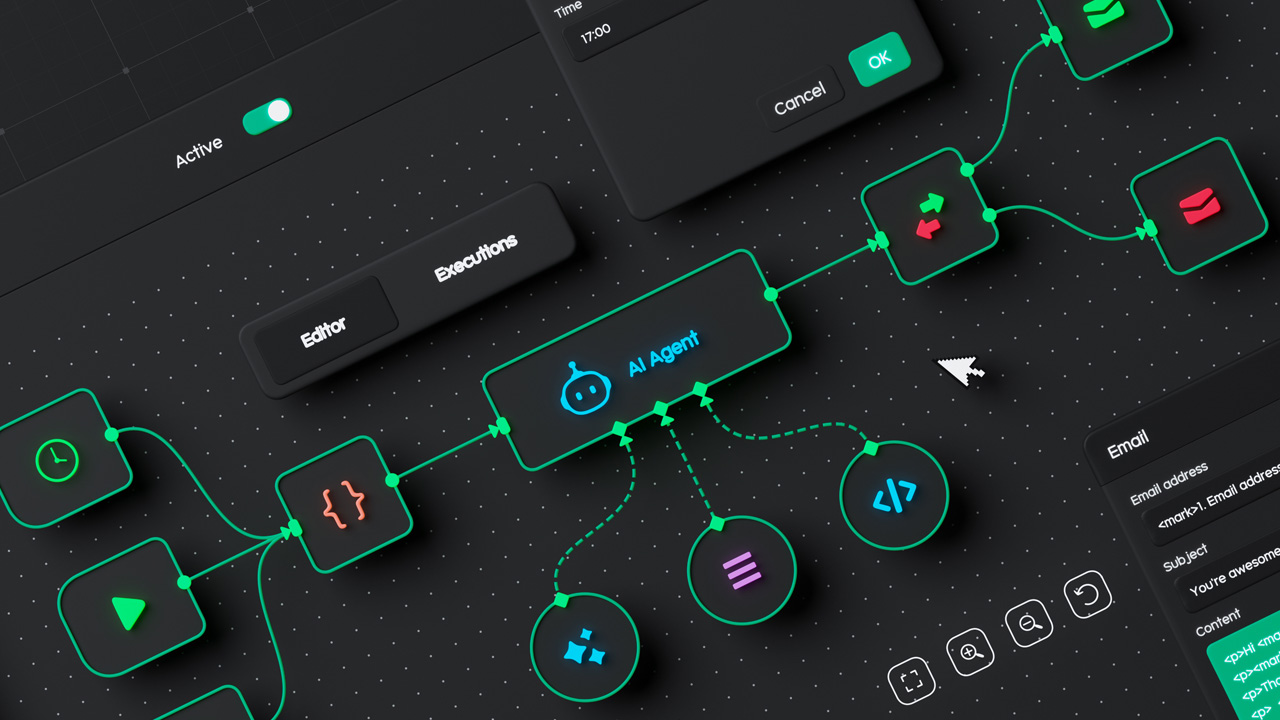
AI agents represent a paradigm shift from passive AI tools to active problem-solvers that can reason, plan, and use tools autonomously. This article explores how AI agents handle complex workflows and enable automation of sophisticated tasks.
Introduction
Traditional AI operates reactively—providing responses when prompted. AI agents operate proactively, breaking down complex goals into steps, calling external tools, and adapting based on results. This enables automation of tasks previously requiring human judgment.
What Makes an AI Agent
Core Capabilities
An AI agent combines:
| Capability | Function | Example |
|---|---|---|
| Reasoning | Planning approach | Task decomposition |
| Tool use | External actions | API calls, computations |
| Memory | Remembering context | Conversation history |
| Iteration | Refining approach | Trying alternatives |
Agent vs. Prompt
Understanding the difference:
| Aspect | Simple Prompt | AI Agent |
|---|---|---|
| Complexity | Single response | Multi-step process |
| Tool access | None | External APIs |
| Adaptation | Fixed | Based on feedback |
| Autonomy | None | Self-directed |
Workflow Patterns
Sequential Processing
Processing steps in order:
- Receive task
- Decompose into steps
- Execute step by step
- Verify completion
- Report results
Parallel Processing
Handling independent tasks simultaneously:
Task A →
  ├→ Subtask A1 → Combine results
  └→ Subtask A2 →
Loop-Based Iteration
Refining through cycles:
Initial attempt → Check result →
  ├─ Success → Done
  └─ Failure → Modify → Retry
Tool Integration
Available Tools
AI agents can use various tools:
- Search: Web and database queries
- Code execution: Running computations
- File operations: Reading and writing files
- API calls: External service integration
- Agent delegation: Calling sub-agents
Tool Selection
Agents decide which tools to use:
| Situation | Tool Choice | Reasoning |
|---|---|---|
| Need information | Search | External knowledge |
| Need computation | Code execution | Precise calculation |
| Need data | API call | External systems |
| Need sub-task | Sub-agent | Delegation |
Architecture Patterns
ReAct (Reasoning + Acting)
A fundamental pattern:
- Think: Reason about the current state
- Act: Choose and execute a tool
- Observe: Examine the result
- Repeat: Continue until complete
Reflexion
Learning from experience:
- Self-critique: Evaluating own performance
- Memory: Storing successful approaches
- Adaptation: Improving from feedback
- Generalization: Applying to new situations
Plan-and-Execute
Deliberate planning:
Goal → Plan → Execute → Monitor →
  ├─ On track → Continue
  └─ Deviation → Re-plan
Enterprise Applications
Document Processing
Automating document workflows:
- Extraction: Pulling relevant information
- Classification: Routing documents
- Summarization: Creating concise overviews
- Verification: Cross-checking details
Customer Service
Intelligent support automation:
| Task | Agent Approach | Benefit |
|---|---|---|
| Initial triage | Classification | Faster routing |
| Information lookup | Search + synthesis | Accurate answers |
| Issue resolution | Multi-step workflows | Complex handling |
| Escalation | Handoff to humans | Quality control |
Data Analysis
Automated insights:
- Data retrieval: Querying databases
- Analysis: Statistical processing
- Visualization: Creating charts
- Reporting: Generating summaries
Implementation Considerations
Choosing Frameworks
Selecting the right approach:
| Factor | Consideration |
|---|---|
| Complexity | Simple vs. multi-step |
| Tool needs | Available integrations |
| Reliability | Validation requirements |
| Cost | Token and API costs |
Designing Prompts
Effective agent instructions:
- Clear objectives: What success looks like
- Tool definitions: Available capabilities
- Boundaries: What's not allowed
- Error handling: What to do when things fail
Monitoring
Ensuring quality outcomes:
- Logging: Recording decisions and actions
- Verification: Checking critical steps
- Human oversight: When to involve humans
- Metrics: Tracking performance
Challenges
Reliability
Ensuring consistent performance:
- Error recovery: Handling failures gracefully
- Validation: Verifying outputs
- Boundaries: Knowing limits
- Escalation: When to involve humans
Cost Management
Controlling expenses:
| Strategy | Approach |
|---|---|
| Token efficiency | Efficient prompts |
| Caching | Reusing results |
| Selective tool use | Only when needed |
| Budget limits | Maximum iterations |
Security
Protecting sensitive operations:
- Access control: Appropriate permissions
- Audit trails: Who did what
- Data protection: Sensitive information handling
- Rate limiting: Preventing abuse
Conclusion
AI agents represent the evolution of AI from reactive tools to active problem-solvers. By combining reasoning, tool use, and iterative refinement, agents can handle complex workflows that previously required human involvement. Enterprise adoption is accelerating as frameworks mature and reliability improves.
The key to success is matching agent capabilities to genuine use cases—not using agents for tasks better handled by simpler approaches. When applied appropriately, AI agents can dramatically increase automation and productivity.
Related Articles
Fine-Tuning AI Models: A Practical Guide for Limited Resources
Learn efficient strategies for fine-tuning large language models with limited computational resources, covering LoRA, QLoRA, domain adaptation, and optimal training practices.
RAG Systems Explained: Building AI That Understands Your Data
A comprehensive guide to Retrieval-Augmented Generation systems, covering vector databases, embedding models, and how to build production-ready RAG pipelines.
AI Model Evaluation Frameworks: Measuring What Matters
A comprehensive guide to evaluating AI models, covering benchmark datasets, evaluation metrics, and frameworks for assessing model performance, fairness, and reliability.