
Mastering Nano Banana Prompts: A Complete Guide to AI Image Generation
Learn how to write effective prompts for Nano Banana (Google Gemini 2.5 Flash) to create stunning AI-generated images with this comprehensive prompt engineering guide.
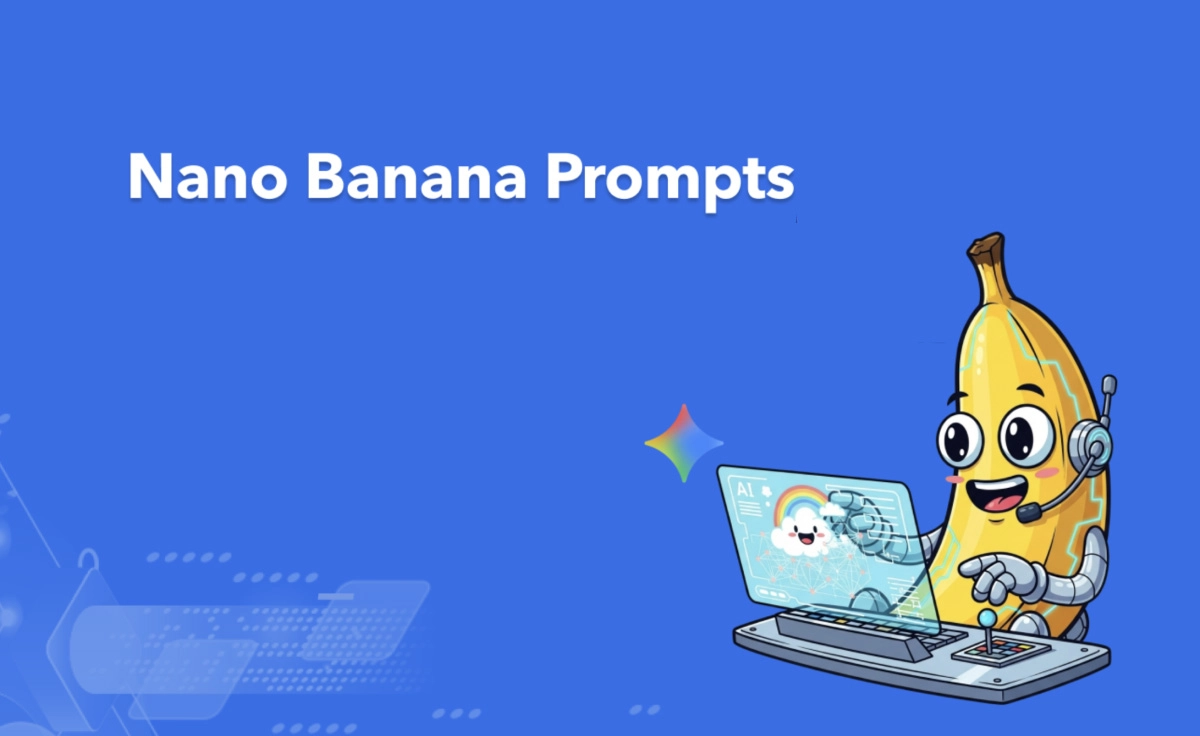
Creating stunning AI-generated images with Nano Banana (Google Gemini 2.5 Flash Image) requires more than just typing a few words. Like any artistic tool, understanding how to communicate effectively with the model dramatically impacts the quality of results. This comprehensive guide walks you through the art and science of prompt engineering for Nano Banana, from basic techniques to advanced strategies used by professional artists and content creators.
Introduction
The difference between a mediocre AI-generated image and a breathtaking one often comes down to one thing: the prompt. While Nano Banana is remarkably capable of interpreting simple descriptions, truly exceptional results emerge when you learn to speak the model's language.
Whether you're a digital artist seeking concept inspiration, a marketer needing quick visual content, or simply an AI enthusiast exploring creativity, mastering prompt engineering will transform your Nano Banana experience. This guide covers everything from fundamental concepts to advanced techniques that professional creators use.
Understanding How Nano Banana Processes Prompts
The Foundation: How Models Interpret Text
Nano Banana doesn't simply match keywords to images—it understands context, relationships, and artistic concepts. When you write a prompt, the model processes your description through multiple layers of understanding:
- Subject Identification: What main elements should appear in the image?
- Relationship Mapping: How do these elements relate to each other?
- Style Recognition: What artistic style or aesthetic is desired?
- Quality Attributes: What technical qualities should the image possess?
The Importance of Specificity
Vague prompts produce vague results. "A cat" might generate any cat in any style. "A fluffy orange tabby cat sitting on a windowsill, bathed in warm afternoon sunlight, soft focus background, photorealistic style" provides the model with clear direction.
Essential Prompt Structure
The Basic Formula
Most effective Nano Banana prompts follow a fundamental structure:
[Subject] + [Setting/Context] + [Style] + [Technical Specifications]
Let's break down each component:
Subject: The main focus of your image
- Be specific about what you want to see
- Include details about appearance, pose, expression
- Specify quantity when relevant ("three friends" vs. "a group of friends")
Setting/Context: Where and when the scene takes place
- Environmental details
- Time of day or lighting conditions
- Atmospheric elements
Style: The artistic approach
- Art movements (impressionism, art deco, etc.)
- Medium (oil painting, photography, 3D render)
- Specific artists (optional, use carefully)
Technical Specifications: Quality and technical attributes
- Resolution and detail level
- Lighting quality
- Color palette preferences
Prompt Writing Techniques
1. Start Strong
Place the most important elements at the beginning of your prompt. Models tend to give more weight to initial concepts.
Less Effective: "A landscape with mountains and a river, beautiful sunset, in the style of traditional Chinese painting"
More Effective: "Traditional Chinese landscape painting of snow-capped mountains beside a flowing river, golden sunset, misty atmosphere"
2. Use Descriptive Adjectives
Adjectives are your friends. They help the model understand exactly what you envision:
- Instead of "old building" try "weathered medieval stone building with ivy-covered walls"
- Instead of "happy person" try "smiling woman with crinkled eyes, natural candid expression"
3. Leverage Artistic References
Mentioning art styles or techniques can dramatically shift results:
- Art Movements: Impressionism, Expressionism, Art Deco, Surrealism, Minimalism
- Mediums: Oil painting, watercolor, charcoal sketch, digital illustration, photography
- Rendering: Unreal Engine 5, Octane render, Ray tracing, Bokeh
4. Control Lighting and Atmosphere
Lighting can transform a good image into a stunning one:
- "Golden hour natural lighting"
- "Volumetric fog and dramatic shadows"
- "Soft diffused light from overcast sky"
- "Cinematic lighting with rim lights"
5. Specify Composition
Guide how elements are arranged:
- "Wide establishing shot"
- "Close-up portrait"
- "Bird's eye view"
- "Rule of thirds composition"
- "Symmetrical balance"
Advanced Prompt Strategies
Negative Prompting
What you don't want can be as important as what you do want. Nano Banana supports negative prompts to exclude unwanted elements:
Common negative prompt elements:
- "blurry, low quality, distorted"
- "text, watermark, signature"
- "extra limbs, deformed"
- "oversaturated, unnatural colors"
Combining Styles Creatively
One of Nano Banana's strengths is its ability to blend artistic styles:
Example: "Cyberpunk city street rendered in the style of traditional ukiyo-e woodblock prints"
This creates unique fusion images that stand out from typical AI outputs.
Sequential Prompting
For complex scenes, break your vision into logical segments:
Example: "Foreground: a medieval knight in polished armor standing at attention Background: ancient stone castle walls bathed in misty morning light Style: dramatic cinematic photography with high contrast"
Reference-Based Prompting
When you have a specific vision, provide reference points:
"Character design inspired by Studio Ghibli animation, with the color palette of Wes Anderson films, pose reminiscent of classical portraiture"
Style-Specific Prompts
Photorealistic Images
For realistic outputs:
[Detailed subject description], professional photography, 8k resolution, sharp focus, natural lighting, realistic skin textures, detailed environmental elements, Canon EOS R5 shot
Illustrative and Concept Art
For artistic interpretations:
[Subject] in [style] style, concept art for [project type], detailed illustration, [art movement] influence, dramatic composition, digital painting, ArtStation quality
Abstract and Experimental
For unique, artistic results:
[Concept or emotion] expressed through [visual elements], abstract composition, experimental art, [color scheme] dominance, [texture description], contemporary art installation aesthetic
Common Prompt Mistakes to Avoid
1. Overloading with Too Many Elements
While detail helps, too many competing elements confuse the model. Focus on 3-5 key attributes rather than listing twenty.
2. Contradictory Descriptions
Avoid prompts like "realistic photo of a dragon in the style of abstract minimalism"—these mixed signals produce unpredictable results.
3. Ignoring Proportions
If you want a detailed close-up, say so. If you want a wide landscape, specify. Without proportion guidance, the model makes assumptions that may not match your vision.
4. Forgetting Context
A "person" could mean anyone from a child to an elderly person. Specify age, gender presentation, body type, and other relevant characteristics if they matter to your vision.
Professional Prompt Templates
Portrait/Character
[Gender], [age range] [physical description], [expression/pose],
wearing [clothing description],
[setting],
[lighting],
[art style],
professional photography/illustration style,
[technical quality modifiers]
Landscape/Environment
[type of landscape], [specific location/environment],
[time of day], [weather/atmosphere],
[season],
[dominant colors],
[art style],
[distance]: [foreground elements], [midground], [background]
Product/Commercial
[Product name/type], [角度],
[background],
[lighting setup],
commercial photography style,
studio conditions,
high-end advertising quality,
[aspect ratio]
Testing and Iteration
The Prompt Refinement Process
Even professional prompt engineers don't achieve perfect results on the first try. Develop a systematic approach:
- Start Simple: Begin with a basic prompt to establish the foundation
- Add Elements Incrementally: Introduce style and detail elements one at a time
- Evaluate Results: Assess what works and what doesn't
- Refine: Adjust specific elements based on results
- Iterate: Continue refining until you achieve your vision
Documenting Successful Prompts
Keep a record of prompts that work well for different use cases. Many users maintain "prompt libraries" organized by subject matter, style, or project type.
Conclusion
Mastering Nano Banana prompts is both an art and a skill that improves with practice. By understanding how the model interprets text, following structured prompt approaches, and learning from both successes and failures, you can consistently generate the images you envision.
Remember that the best prompts are clear, specific, and well-structured—providing enough detail to guide the model while leaving room for creative interpretation. With these techniques in your toolkit, you're well-equipped to create stunning AI-generated images with Nano Banana.
The journey to prompt mastery is ongoing. As AI models continue to evolve, so too will best practices for communicating with them. Stay curious, keep experimenting, and enjoy the creative process.
Related Articles
The Anthropic-Nvidia-Microsoft Partnership: Bringing One Gigawatt of AI Compute Online
The historic $15 billion partnership between Anthropic, Nvidia, and Microsoft will bring over one gigawatt of AI compute capacity online by 2026. This article examines what this massive infrastructure investment means for the AI industry, the competitive landscape, and the future of AI capability development.
Anthropic's Revenue Surge to $2.5 Billion: How Claude Code Conquered the Developer Market
Anthropic has achieved an unprecedented $2.5 billion in annualized revenue, driven primarily by Claude Code's dominance in the AI coding assistant market. This article examines the factors behind Anthropic's rise, the competitive landscape, and what this means for the future of AI-powered software development.
Gemini 3.1 Pro with 1M Token Context: Google DeepMind's New Frontier
Google DeepMind's Gemini 3.1 Pro, released in February 2026, represents a quantum leap in large language model capabilities. With its groundbreaking 1M token context window and 77.1% score on ARC-AGI-2, it's setting new standards for multimodal AI.